How to Calibrate Your Scotts Broadcast Spreader with a
Lead Turfgrass & Lawn Care Specialist at Totally Green Lawn · Certified Turfgrass Specialist (CTS), Master Gardener, B.S. in Agronomy & Turf Science · 14+ years in residential turf management, organic fertilization, and weed science
Most people trust the number on the fertilizer bag, set their Scotts broadcast spreader to that dial position, and call it calibrated. The lawn pays the price: striped color, patchy growth, and a wasted bag of product. The truth is that bag settings are starting points, not gospel, and verifying them with a collection pan is what separates guesswork from an even, professional-looking result.
How to calibrate scotts broadcast spreader with collection pan comes down to a repeatable catch-and-weigh loop that confirms your actual rate in pounds per 1,000 square feet. Per University of Massachusetts extension guidance, a home lawn typically receives 2 to 4 pounds of nitrogen per 1,000 sq ft per year, split across applications, so even a small calibration error compounds fast. Let's walk through exactly how to nail it.
Quick Answer
To calibrate a Scotts broadcast spreader with a collection pan, set the rate control one notch below the bag's recommended setting. Fill the hopper, walk at a steady pace over the pan, and weigh the catch. Adjust the dial up or down until your catch matches the bag's target rate per 1,000 sq ft.
Repeat until the numbers line up, then record the final setting.
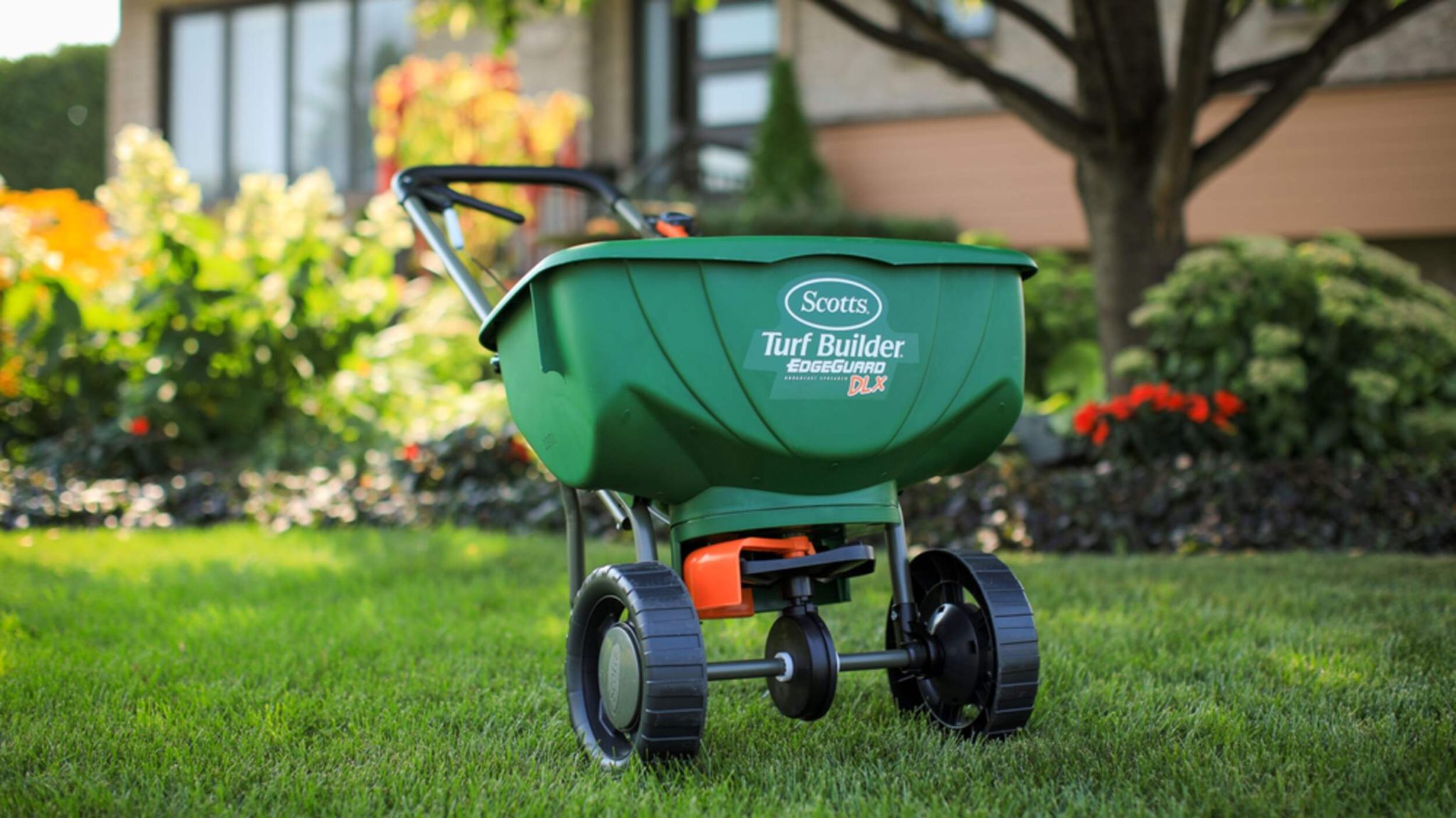
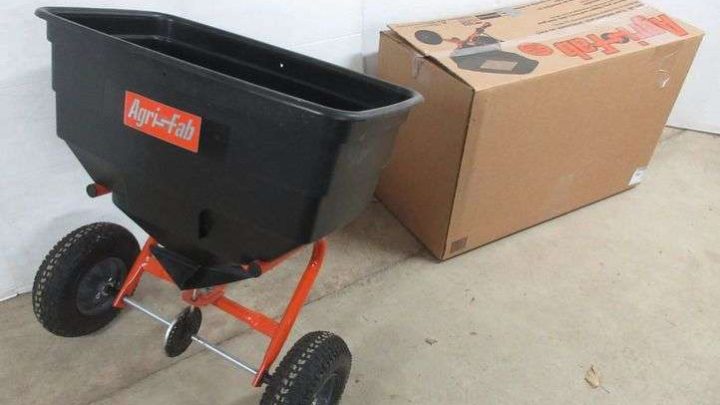
Image source: Bing (Web (fair-use with source credit))
Why Your Scotts Spreader Setting Is Probably Wrong (And How to Fix It With a Catch Pan)
The number stamped on a Scotts dial is a reference, not a promise. Three things shift it in the real world: your walking speed, the product you're actually using, and the wear state of your specific spreader.
Bag settings are calibrated at roughly 3 mph on a flat surface with a new, factory-spec unit. If you walk a little faster, less product falls per square foot. If you walk slower, more falls.
A used spreader with a slightly bent impeller or sticky gate throws a different pattern than the lab unit Scotts used.
A collection pan takes the guesswork out. By catching what the spreader actually throws over a known area, you get a real number to compare against the bag's recommended rate. That single number tells you whether your dial setting is right, too high, or too low.
The catch method also catches (no pun intended) problems that a visual walk-through misses. Striping, skipping, and heavy center throws all show up in the pan as uneven weights, and you can fix them with a setting tweak before they show up as yellow stripes in the lawn.
What You Need Before You Start Calibrating
Before you pour a single granule, get the kit together. Scrambling mid-test ruins the calibration because you can't restart from the same starting condition.
| Item | Why you need it | Common options |
|---|---|---|
| Collection pan | Catches throw from the full spread width | Scotts calibration tray, plastic paint tray, shallow baking pan, tarp on a frame |
| Gram or ounce scale | Measures catch weight accurately | Kitchen scale (1 g resolution), postal scale, jewelry scale |
| Tape measure | Marks calibration distance and pan placement | 25 ft or 50 ft tape |
| Marker and notebook | Records final setting and date | Pen and a dedicated lawn journal |
| The actual product you'll apply | Different prill sizes flow differently | The same bag of fertilizer or seed |
| Flat, paved test surface | Keeps the catch clean and recoverable | Driveway, garage floor, wide sidewalk |
| Stopwatch or phone timer | Locks in consistent walking pace | Phone timer or a metronome app at 120 BPM |
A few prep notes worth flagging. Sweep the test surface first, because a stray pebble or piece of gravel in the pan will skew your weight reading. Wear the same shoes you'll use on the lawn.
Tire pressure on pneumatic models matters too, so if your spreader has rubber tires, top them up before testing.
For the pan itself, a Scotts-branded calibration tray is sized to match the throw width of common broadcast models, which removes one variable. If you use a substitute, make sure the pan is wide enough to catch the full pattern at your typical walking speed. A shallow box frame with a bed sheet stretched across it works in a pinch, but rigid pans are easier to weigh.
The Step-by-Step Catch Pan Calibration Workflow
Now the actual work. Follow the sequence in order, because each step builds on the last. Skipping the weigh step and going straight to the lawn is how the stripes happen.
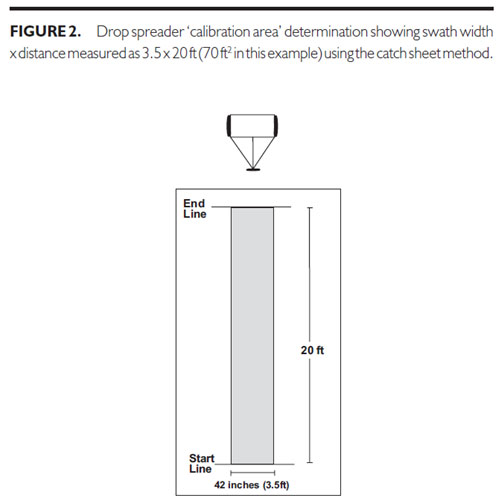
Image source: Web (Bing) / umass.edu (Web image (fair-use with source credit))
Step 1: Read the Bag and Pick a Starting Setting
Find the "Spreader Settings" chart on the back or side of the bag. Note the recommended Scotts setting, the target application rate in lb per 1,000 sq ft, and the product's particle size if listed. Set your spreader one notch below the recommended setting as your starting point.
Starting low is intentional: it's easier to bump up than to recover from over-application.
Step 2: Set Up the Test Run
Place the pan on a flat, hard surface in the path you'll walk. Measure and mark a calibration distance. As of 2026, most university extension guides recommend a 50 ft run because the math is clean: the longer the run, the more product you catch, the more accurate your scale reading.
Walk the marked path a couple of times without the spreader running to lock in your pace.
Step 3: Fill and Run
Pour 5 to 10 lb of the actual product into the hopper. Stand 5 to 10 ft before the pan, open the gate, walk the full marked distance at your steady pace, and close the gate after you pass. Do not slow down over the pan.
The middle of the run is what you're measuring, not the start or stop.
Step 4: Weigh the Catch
Pour the pan contents into a cup on your scale. Tare the cup first. Record the weight in grams or ounces.
If you weighed 28 g over 50 sq ft of pan coverage, that's a real, comparable number you can work with.
Step 5: Convert to Pounds per 1,000 Square Feet
Use the standard conversion. Catch weight in grams divided by area in square feet, then multiplied by 0.2046, gives pounds per 1,000 sq ft. Most home scales read in grams, so this is the formula you'll use most often.
Compare your number to the bag's target rate. If your number is low, bump the dial up one notch. If it's high, drop a notch.
Empty the hopper, refill, and retest.
Step 6: Lock In the Setting
Once your measured rate matches the target rate within about 5%, stop testing. Write down the final setting, the product name, the lot number if visible, the date, and your walking pace. Tape the note inside the hopper lid.
Next season, you'll thank yourself.
Reading the Numbers: How to Know Your Rate Actually Matches the Bag
The math is the easy part. Knowing what the numbers mean, and what to do when they're off, is where most people stall.
If your catch comes in below the target rate, three things can cause it. The gate may be too closed, the walking pace may be too fast, or the product may be denser than what Scotts tested with. Bump the dial up one notch and retest before assuming the product is the problem.
If your catch comes in high, the reverse is true. Your pace may be too slow, the gate may be over-opening, or the prills may be smaller and lighter than the test product. Drop a notch and retest.
A 5% to 10% variance is normal between runs because granules don't flow identically every time. A 20% or larger variance means something mechanical is off: a sticky gate, a bent impeller, or a partially blocked deflector. Fix the hardware before you trust the dial.
For reference, a Scotts EdgeGuard Mini at setting 3.5 with most granular fertilizers should deliver roughly 3 lb per 1,000 sq ft at a 3 mph walking pace over an 8 to 10 ft spread width. If your catch comes in dramatically off that, double-check the pan coverage area first. A too-narrow pan is the single most common source of false-low readings in our research.
Spreader Settings, Speeds, and Products: The Branches That Change Everything
The same Scotts EdgeGuard throws differently depending on what you load and how you walk. That's why one calibration per product per season isn't paranoia, it's the standard practice.
Walking Pace Changes Everything
A 3 mph pace is the industry reference. Most people walk closer to 2.5 mph, which means more product per square foot than the bag assumes. Time yourself over 50 ft.
If you're at 14 to 17 seconds, you're in the zone. If you're at 18 to 20 seconds, slow down or drop the dial a notch before applying.
Different Products Need Different Settings
Granular urea-based fertilizer flows faster than polymer-coated products. Seed throws heavier than fertilizer because of seed weight and shape. Lime is bulky and rides high in the hopper.
Calibrate for each product you use, and never assume last month's setting works for this month's bag.
| Product type | Typical starting setting (EdgeGuard Mini) | Recalibrate? |
|---|---|---|
| Standard granular fertilizer | 3.0 to 3.5 | Each new bag |
| Slow-release fertilizer | 3.5 to 4.0 | Each new bag |
| Grass seed (overnight, bluegrass) | 4.0 to 5.0 | Each new bag |
| Pelletized lime | 5.0 to 6.0 | Each new bag |
| Ice melt | 3.0 to 4.0 | Once per season |
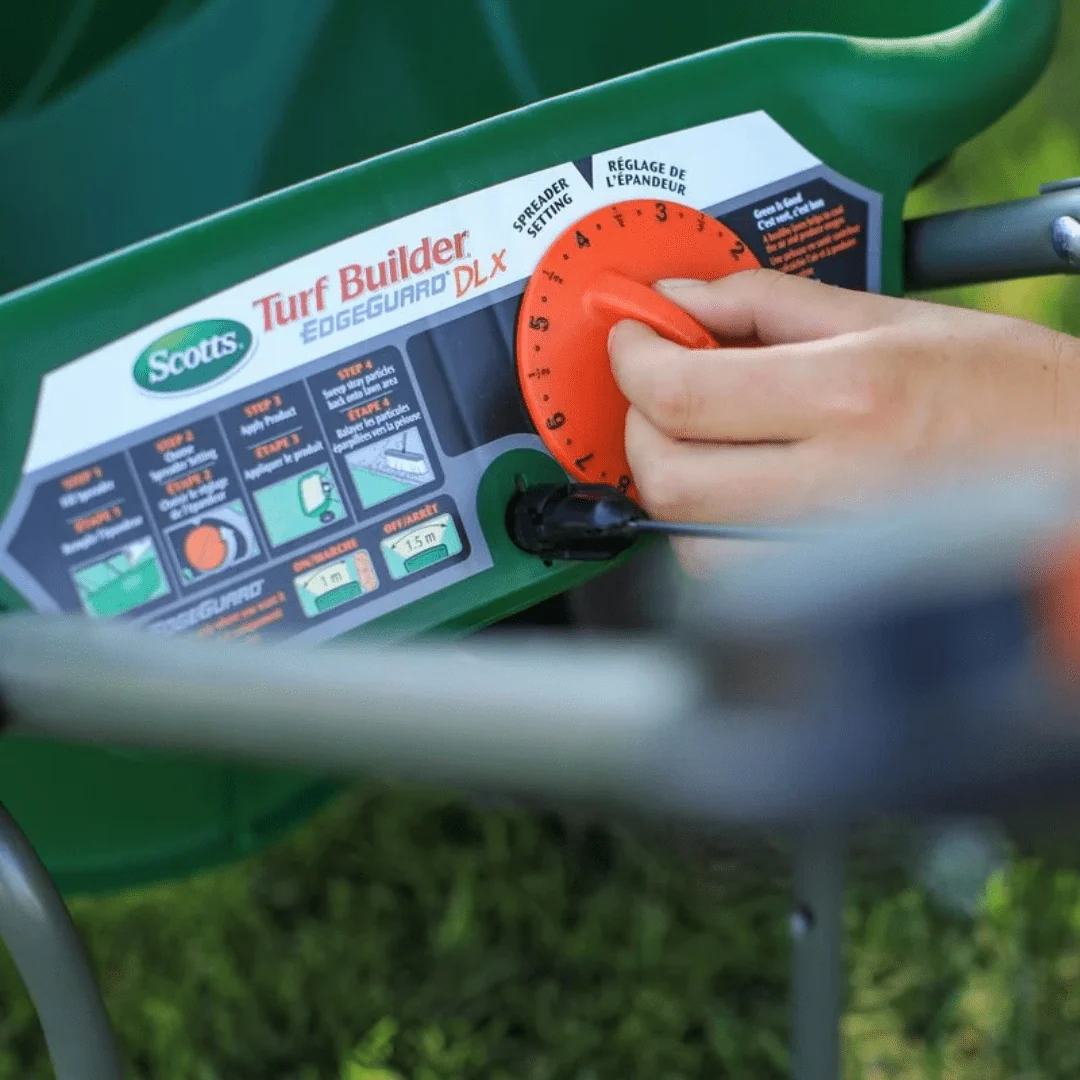
Image source: Bing (Web (fair-use with source credit))
Broadcast vs Drop Spreader Calibration
A drop spreader throws straight down, so a small pan works fine. A broadcast spreader throws in a 180-degree arc up to 12 ft wide, so the pan must be wide enough to catch the full pattern. If you're switching between the two, recalibrate from scratch.
The math doesn't translate.
Common Calibration Mistakes (And How to Recover From Them)
Even careful calibrations go sideways. Knowing the usual suspects saves you from redoing the test three times.
Testing on the Lawn Itself
Never run a calibration pass over the lawn you'll be feeding. The catch is uneven, the product is now on the grass, and you've wasted fertilizer. Always test on a hard surface where you can sweep up every granule.
Starting Too High
Set the dial above the bag's recommendation to "save time" and you will burn the lawn. Over-application shows up as dark green stripes, then brown tips within a week. Start low, work up.
Always.
Ignoring the Edge Guard
The EdgeGuard feature on most Scotts models blocks the left side of the throw pattern. If your pan sits on the blocked side, your catch will be artificially low and you'll overcompensate. Test with the edge guard up, or place the pan to the right of center for a true read.
Using the Wrong Product in the Test
Calibrating with cheap builder's grade fertilizer and then applying premium slow-release gives you the wrong setting. Test with the actual bag, every time. The difference in flow rate between prill types is meaningful.
Trusting One Run
Run the test three times. Average the catches. A single run can vary 10 to 15% just from gate hesitation at startup.
Three runs give you a stable number to set your dial against.
Recording and Reusing Your Calibration Results
A calibration you don't record is a calibration you'll redo. The few minutes spent writing things down save an hour next season.
Tape a small card inside the hopper lid. Note the product name, the lot number, the final dial setting, the walking pace, the date, and the pan coverage area. If you switch products, run a new test, and update the card.
Recheck mid-season. Humidity, prill breakdown, and partial bag storage all shift flow rates. A bag that flowed right in April may run heavy in July because the prills have absorbed moisture and clump slightly.
Aggregate user reviews of Scotts spreaders consistently flag this as a top cause of mid-season striping.
For long-term tracking, a simple spreadsheet works. Columns for date, product, setting, catch weight, and notes (weather, bag age) give you a year-over-year record. You'll spot patterns: which products run hot, which settings hold across brands, and when it's time to replace the impeller.
If you own multiple spreaders, label each one. The gate calibration on a 2-year-old EdgeGuard Mini is rarely identical to a brand-new one off the shelf. The few dollars for a label maker beats redoing the math every time you switch units.
FAQ
How often should I recalibrate my Scotts broadcast spreader?
Recalibrate every time you switch to a new product or open a new bag from a different lot. For a single product across one season, recheck at least once mid-season, since humidity shifts prill flow over time.
What if my catch weight is way off the bag's target rate?
If you're 20% or more off, stop and check the hardware first. Look for a sticky gate, a bent impeller, or a partially blocked deflector. If the spreader passes a visual check, drop or raise the dial by one full notch and retest.
Can I use a baking sheet instead of a Scotts calibration pan?
Yes, as long as the sheet is wide enough to catch the full throw pattern. For most broadcast spreaders, that's 8 to 12 ft of coverage, which means you'll need a pan or framed tarp that wide. A narrow sheet gives false-low readings and will lead to over-application.
Does walking speed really change the spread rate that much?
Yes. At 2.5 mph instead of 3 mph, you're covering 17% less ground per minute, so the same gate opening drops 17% more product per square foot. Time your pace and lock it in.
Is calibration different for the EdgeGuard Mini vs the Deluxe model?
The basic workflow is identical. The Deluxe has a larger hopper and a slightly different gear ratio, so the dial numbers won't match the Mini. Calibrate each spreader independently and label them with their final settings.

Similar Posts